
School Admission Management System
From student intake to a structured record — student forms, admission fees, guardian details and Excel import for bulk onboarding.
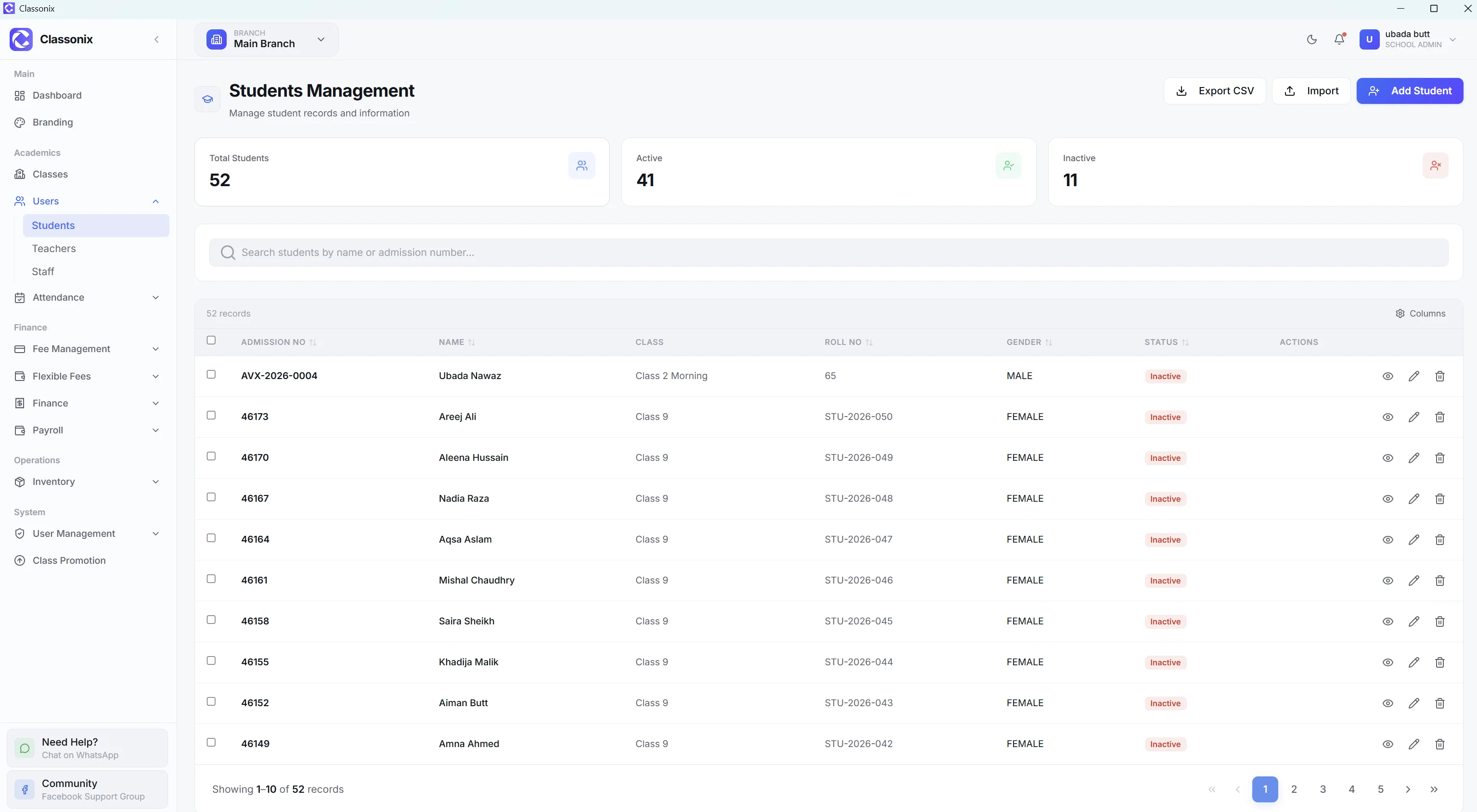
Admissions are the first operational stage of a student’s relationship with a school. An inquiry becomes an applicant, an applicant becomes an admitted student, and the resulting student record then becomes the basis for attendance, fees and academic history — every later module reads from the file created on day one.
ClassoNix’s admission workflow centers on getting a complete, structured student record into the system — through the student form for individual intake or Excel import for bulk onboarding — with admission fees tracked through the same payment system as other fee types. That matters at scale: admission season is exactly when records are created fastest, and errors made at intake follow the student for years.
From Enrollment to a Working Student Record
The student form captures the fields a school actually needs at admission: admission number, roll number, name, date of birth, gender, WhatsApp number, class and section, blood group, address, city, transport route, medical information, emergency contact and guardian information — plus a photo. Because the form enforces structure at entry, the record that comes out is immediately usable by attendance, fees and academics — no second pass copying a paper form into a spreadsheet.
Once saved, that record immediately connects to attendance, fees and academic history. The student does not live in a separate “admissions” silo that later has to be re-entered elsewhere.
Admission Season Without Manual Data Entry
For schools onboarding many students at once — a new academic year, a new campus, a migration from spreadsheets — the Excel import workflow provides a pre-formatted template. Fill it, upload it, and receive an import summary showing successful and failed rows.
Duplicate admission numbers are rejected and imported students are assigned to the current branch, keeping the intake process controlled even at volume. Schools migrating a whole incoming class from an old spreadsheet can move hundreds of records in one import cycle instead of dedicating a week to re-typing.
Admission Fees and Student Records
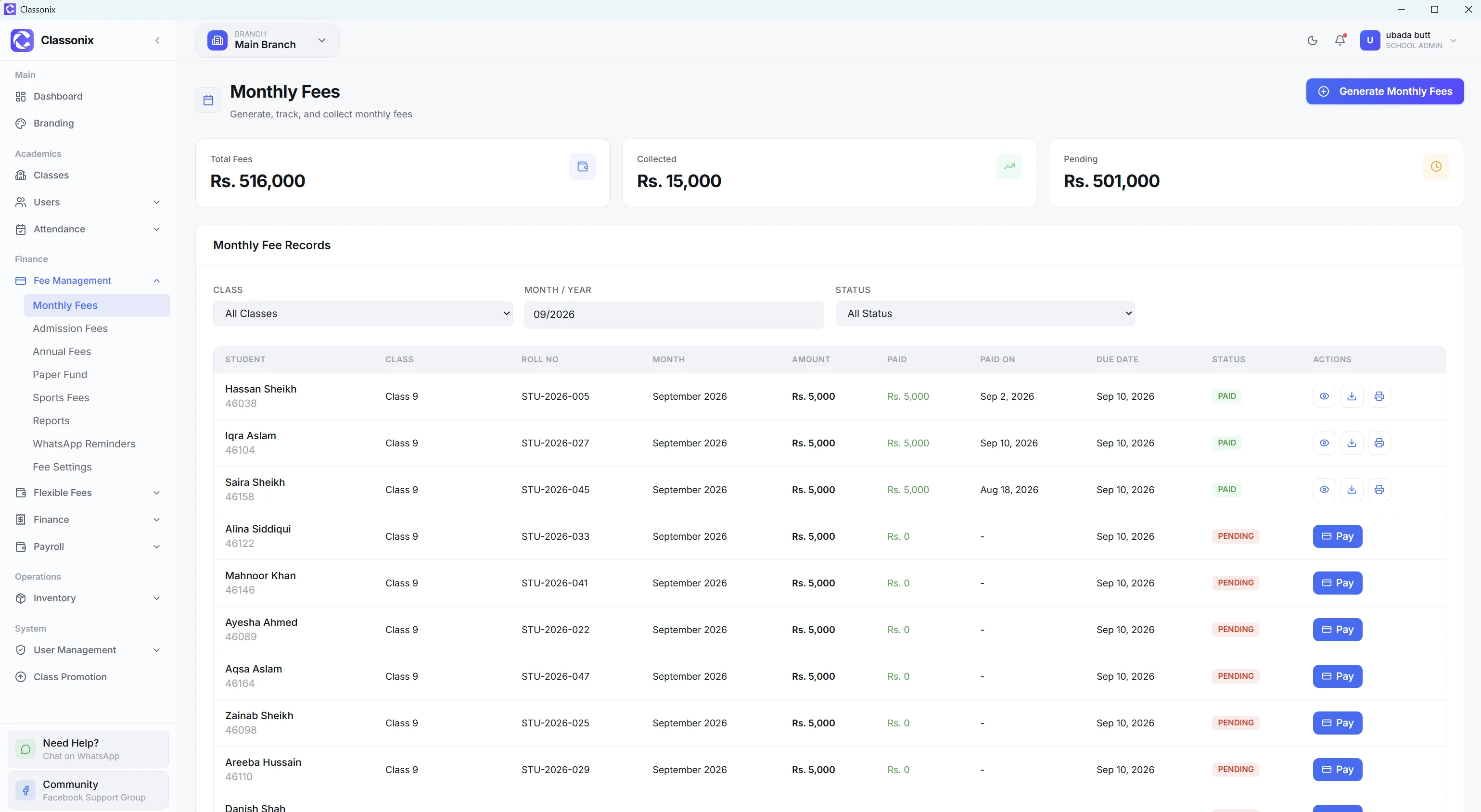
ClassoNix treats admission fees as a separate fee type — enrollment charges are not folded into the first monthly voucher but tracked in their own workflow. The Admission Fees screen allows the school to select a class and students, set an admission amount, record payments and track collection status.
This is an important distinction: admission management and admission-fee management are related but not identical workflows — one creates the student record, the other bills for joining. Admission fees flow through the same fee collection machinery — statuses, partial payments and payment history — so enrollment charges are not tracked in a separate notebook. The admission-fee record carries the same PENDING/PARTIAL/PAID statuses and payment history as any other fee, which keeps the first financial interaction with a new family inside the books from day one.
A Clean Start for Student Management
Once a student is admitted, the school needs a reliable operational record. ClassoNix’s student module provides searchable lists, detailed profiles, attendance and fee history, academic history and Excel import.
The intake record is therefore the front door to the student record — attendance marking, fee generation and academic tracking all build on the same profile created at admission. The handoff is where most school paperwork chains break — in ClassoNix it is not a handoff at all, because the record was a student record from the start.
Who Is This For?
Admission management is relevant to schools and academies that receive recurring inquiries and need a consistent process for moving prospective students toward enrollment.
It is especially useful when admission information needs to become part of the school’s ongoing student-management workflow rather than remaining in a separate file — academies and schools with seasonal intake spikes feel the difference most, because bulk import absorbs the rush.
Related Features
See how the rest of the ClassoNix platform connects with this workflow.
Questions, Answered
How admissions feed into the student record in ClassoNix.
The admission workflow is staff-facing: the school records each new student through the student form, or imports many records at once through the Excel template. There is no public applicant portal — intake is handled by school staff inside the app.
Each inquiry is captured as a structured intake record with class and section assignment, guardian information and contact details, so nothing stays only in a notebook. Bulk intake uses the Excel import workflow, which returns a summary of successful and failed rows.
The student form captures the full admission record — personal details, guardian information, class assignment and contact data — so the completed profile serves as the admission form on file. Admission fees are a dedicated fee type too, recorded with the same statuses and payment history as other fee records.
Yes — the intake record is the student record, not a separate applicant file that has to be re-entered. From the moment it is saved, attendance is marked against the student, fee records are generated for them, and the academic tab accumulates exam and marks history over time.
Turn Admissions Into Working Records
Structured intake, admission fees and bulk import — so enrollment day produces a usable student file.
Free forever plan · No credit card required