
Multi-Branch School Management
Switch branches from the header, keep every record branch-scoped, and control which staff see which campus.
Managing one school is different from managing a school group. Once there are multiple campuses, the same operational questions have to be answered at both branch level and organization level: what is happening at this campus, who can access it, and how can management keep the data separated without losing oversight? Registers and spreadsheets scale badly here: each campus develops its own version of the records and ‘the same report’ stops meaning the same thing in two places — and reconciling them becomes a monthly project. A shared platform removes that class of error entirely: every campus reports from the same record types, the same statuses and the same definitions.
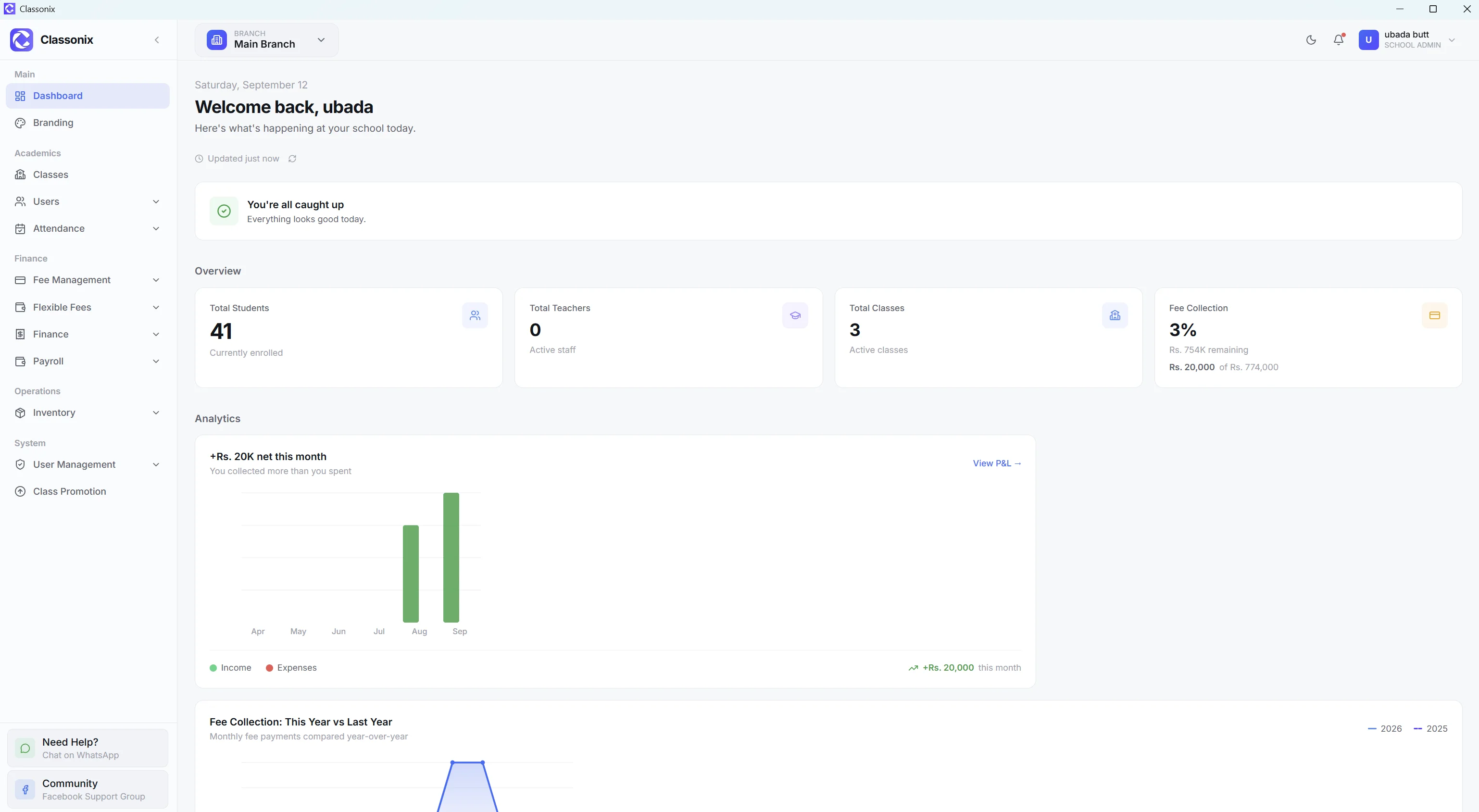
ClassoNix includes a multi-branch system with a branch switcher in the application header. Students, teachers, staff, classes, fees, attendance, inventory and payroll are branch-scoped. Users can be assigned to specific branches, while school administrators can access all branches according to their permissions.
One Environment for Multiple Campuses
ClassoNix uses one web application across schools while separating data by school and branch. For a multi-branch organization, the user can switch the active branch from the header and the application’s data reloads for that branch.
Because it runs in the browser, every campus works in the same system without any software to install or update — while branch boundaries stay fully preserved.
That single platform also means the same workflows apply on every campus — a new branch does not need a new process or a differently-trained accounts team, it just needs a new branch in the same system — staff trained at one campus are productive at another from day one.
Per-Branch Views Without Mixing Records
Branch scoping is central to the system. Students, teachers, staff, classes, fees, attendance, inventory and payroll are all branch-scoped.
When a user switches branches, the pages remount so stale data is not shown. This matters operationally because a branch manager should not accidentally continue working with the previous branch’s records after changing context.
Scoping also keeps everyday lists honest: a class list, a fee report or an inventory count always belongs to one branch, so ‘which campus is this number from’ never needs to be asked.
User Access by Branch
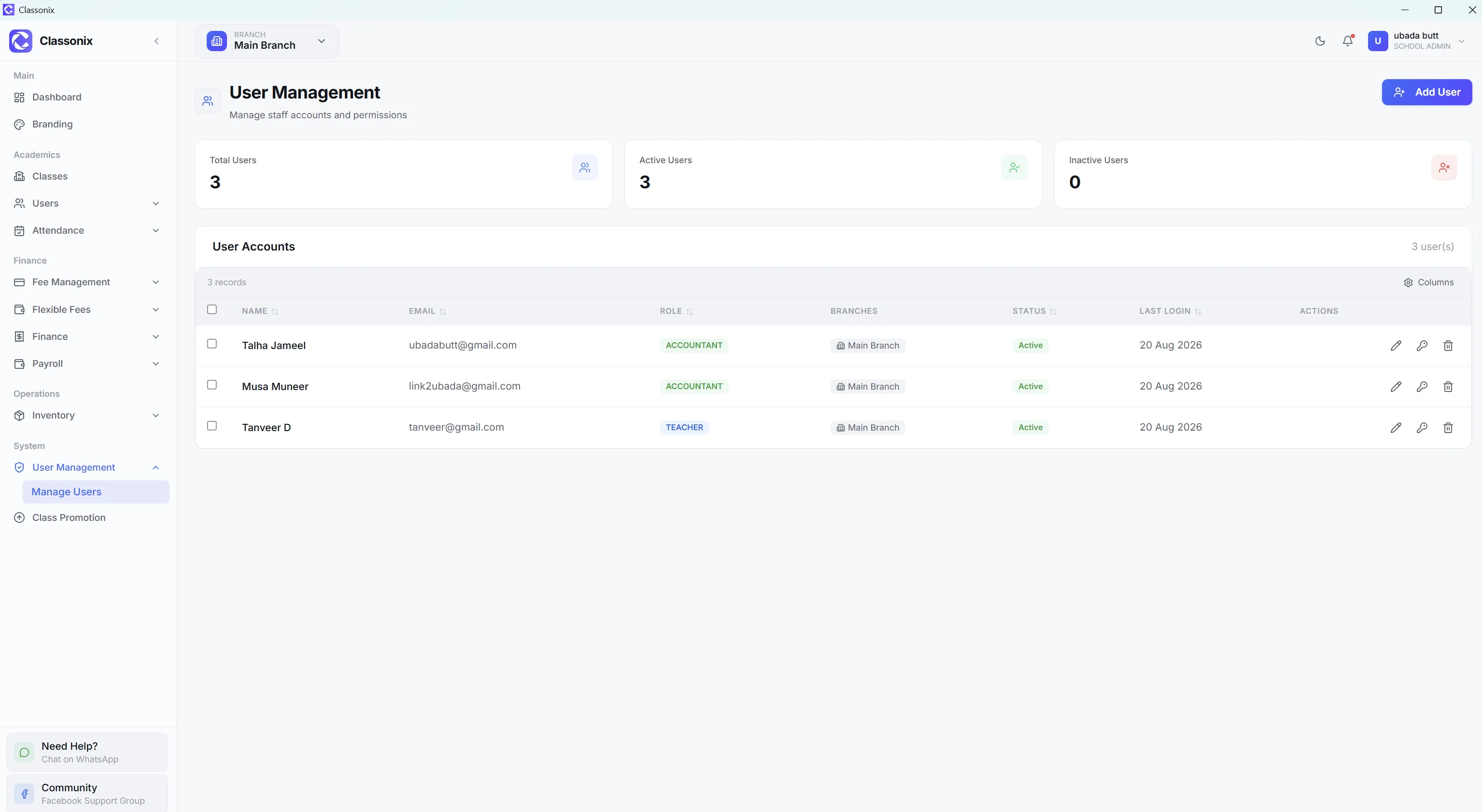
Not every employee should necessarily see every campus. ClassoNix allows branch access to be assigned per user. Users only see branches assigned to them, while the school administrator can see all branches.
This branch-level authorization works alongside role-based permissions, giving the school two useful controls: what a person can do and which branch data they can see.
In practice that means a campus accountant can run fees for their own branch without ever seeing another campus’s fee book — and a floating manager can be assigned two campuses without being given the whole organization.
Management Across Campuses
School administrators can access all branches and move between them using the header switcher — reviewing each campus’s records in its own context rather than mixing records together.
This gives ownership-level oversight through controlled access and branch scoping: administrators switch to a branch to review it, while branch staff stay inside the branches they are assigned to — the same boundary that protects each campus’s records also keeps each team’s daily view uncluttered.
The model scales with the group: adding a campus is an administrative action, not an IT project, and every new branch inherits the same modules, statuses and workflows the existing ones already use.
Who Is Multi-Branch Management For?
The feature is intended for school groups and institutions operating more than one campus or branch. It is especially relevant when the organization wants centralized administration while restricting staff to the branches they are responsible for.
The emphasis is on data separation, branch switching and permission control — part of the wider school ERP workflow.
It is less relevant for a single-campus school that will never open a second site — though the same scoping quietly keeps that school’s records clean too.
Related Features
See how the rest of the ClassoNix platform connects with this workflow.
Questions, Answered
How multi-branch works in ClassoNix.
School administrators can access all branches and switch between them from the application header — each branch’s dashboard shows that branch’s own records. Each view stays branch-scoped, so the numbers never mix.
Yes. Users can be assigned branch access, and users only see branches assigned to them while the school administrator can see all branches — oversight flows from access rights, not from collecting exported files from each campus.
Reporting is branch-scoped — each campus is reviewed in its own context by switching branches in the header, which keeps branch numbers clean and separate.
ClassoNix scopes operational records to the selected branch, including students, teachers, staff, classes, fees, attendance, inventory and payroll — a boundary enforced at the record level, not just hidden in the interface. User branch assignments further restrict which branch data each user can access — the boundary is enforced at the record level, not just hidden in the interface.
Every Campus. One Platform.
Branch-scoped records with administrator oversight — built for school groups.
Free forever plan · No credit card required