
School ERP Software for Pakistan
Students, fees, attendance, HR, payroll, inventory, finance and multi-branch — one platform for the entire school operation.
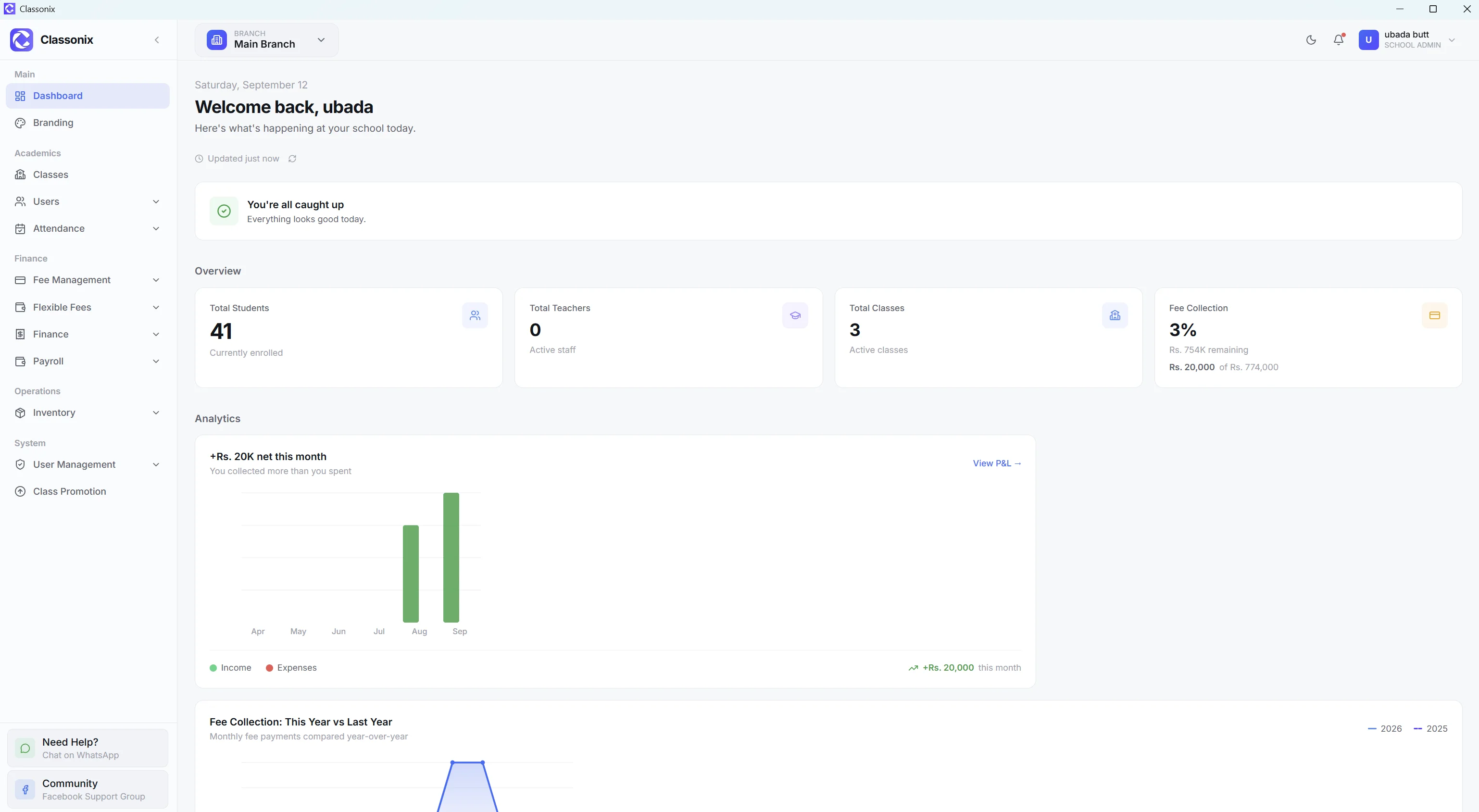
A school ERP is intended to connect departments that otherwise operate as separate administrative islands. Student records, attendance, fee collection, staff information, payroll, finance and inventory all produce information that school management needs to understand together.
ClassoNix is a school-management platform with a wider operational footprint that includes finance, payroll, inventory and multi-branch workflows — the modules Pakistani schools most often run as separate registers today. The product runs entirely in the browser at app.classonix.com — nothing to install — with a separate Super Admin web panel for the ClassoNix team. School and branch data is isolated, while user permissions control access to the areas each user is responsible for.
For schools evaluating ERP software, the key question is not how many modules appear in a brochure. It is whether the modules represent real workflows and whether the information can be managed consistently. This page focuses on the capabilities ClassoNix actually provides.
The practical test for an ERP is what happens on a normal school day: can the same platform mark attendance, generate fees, record a payment, process payroll and still tell the owner what the month looks like financially — without exporting files between systems. Where a student-record system stops at enrollment and attendance, an ERP continues into the money: fee income, expenses, salaries and the profit-and-loss view that tells an owner whether the institution is healthy.
What Is a School ERP?
ERP stands for enterprise resource planning. In a school context, the idea is to connect operational departments through a shared management platform. Instead of maintaining unrelated systems for accounts, payroll, students and inventory, the school uses one environment with separate modules.
ClassoNix follows this broader model. Its modules include student, teacher and staff management; classes and academic-year workflows; attendance; fee management; finance; payroll; inventory; user management; settings; data backup/restore; and multi-branch operations.
The advantage of this structure is not simply having more menus. It is that related records can support connected workflows. For example, fee collection feeds financial visibility, staff records connect with payroll history, and branch access controls which records users can see.
It also means a record is entered once. A student created at intake is the same record attendance, fees and academic history attach to later; an employee’s profile is what payroll and attendance build on.
School ERP vs School Management System — What’s the Difference?
The terms overlap, but they emphasize different scopes. A school management system often focuses on the core administration of students, classes, attendance, fees and staff. A school ERP usually signals a broader operational scope that includes back-office functions such as finance, payroll, inventory and multi-department workflows.
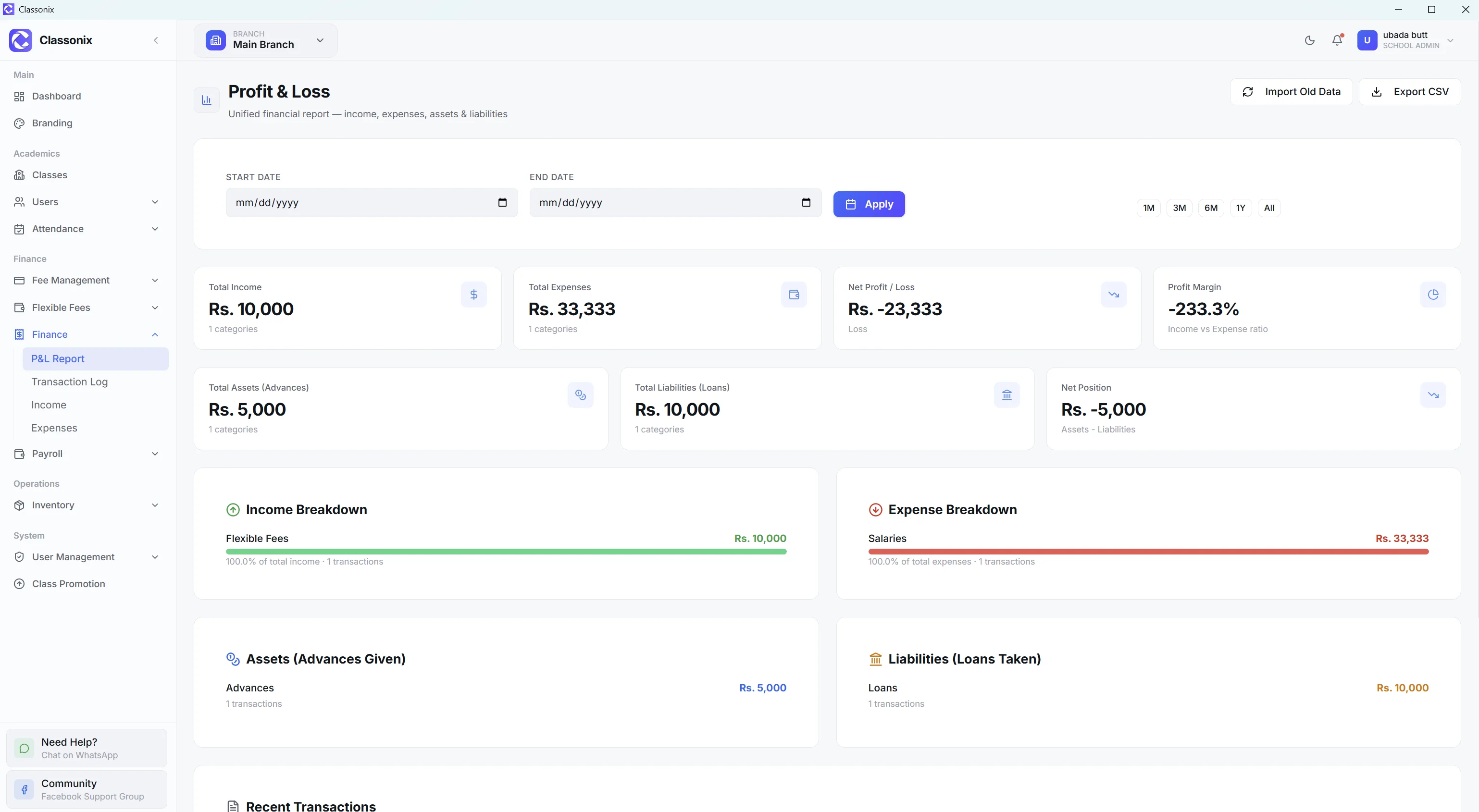
ClassoNix sits across that broader range. Its feature set includes a dedicated finance area for income, expenses, profit and loss and transactions with CSV export; payroll for salary structures, loans, advances and monthly payroll; inventory; and multi-branch operations alongside the core school-management modules.
The useful comparison is therefore the actual workflow coverage, not the label alone. See the wider platform on the school management system overview.
In practice the two labels describe the same buying decision: schools want one system that covers the office, the classroom-facing records and the accounts — ClassoNix is built around all three layers rather than one of them.
Every Department, One System
The ClassoNix platform covers these major areas — a broader operational foundation than a student-only or fee-only system.
People
Students, teachers and non-teaching staff with structured records.
Academics
Classes, academic years and class promotion, plus examinations, timetable and announcements under ELITE entitlements.
Attendance
Separate student, teacher and staff attendance with reporting and CSV export — plus attendance device integration that can sync records from a compatible device.
Fees
Monthly, admission, annual, paper-fund, sports and flexible fees.
Finance
Income, expenses, profit and loss and a central transaction log.
Payroll
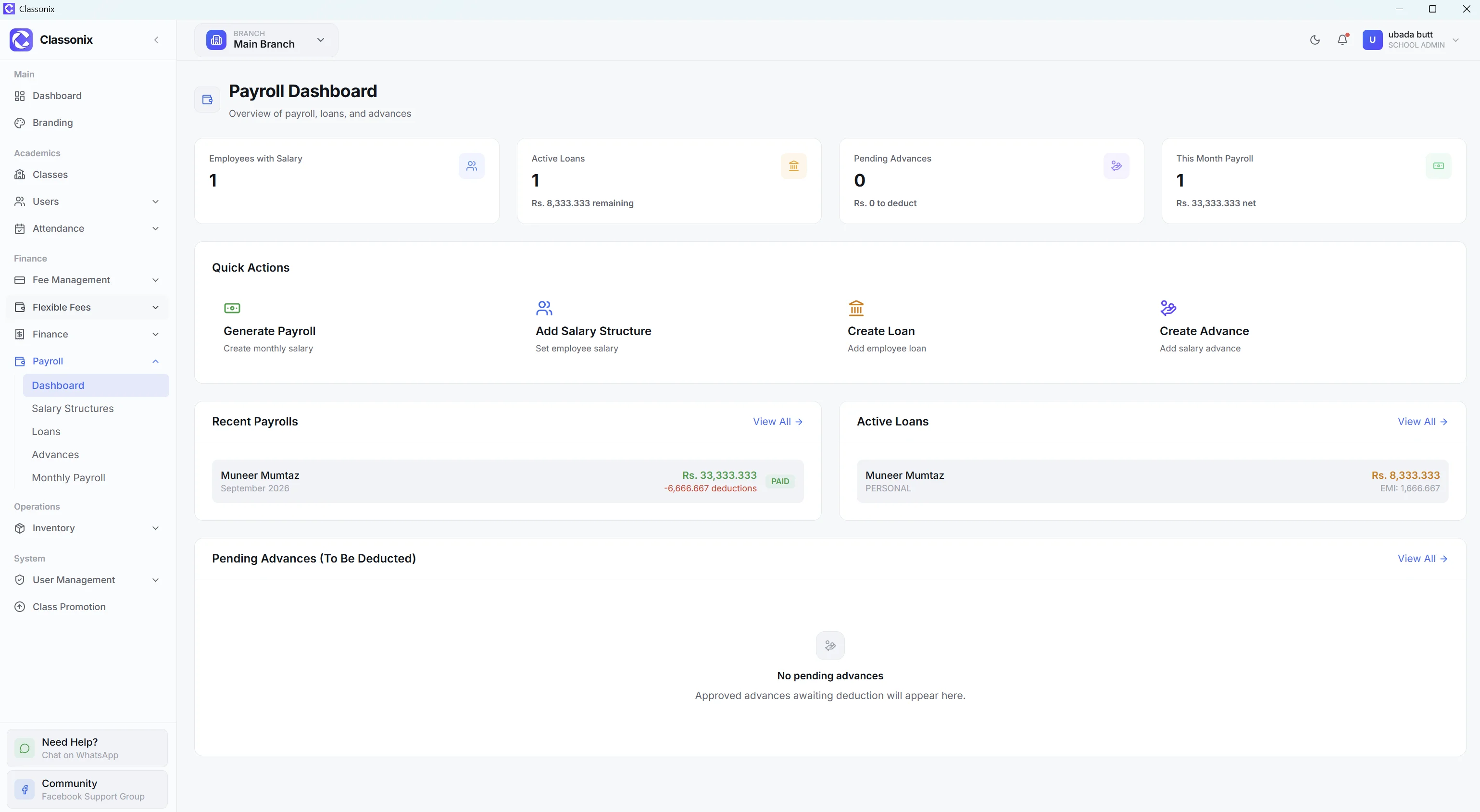
Dashboard, salary structures, loans, advances and monthly payroll.
Inventory
Dashboard, categories, items, class inventory and allocations.
System
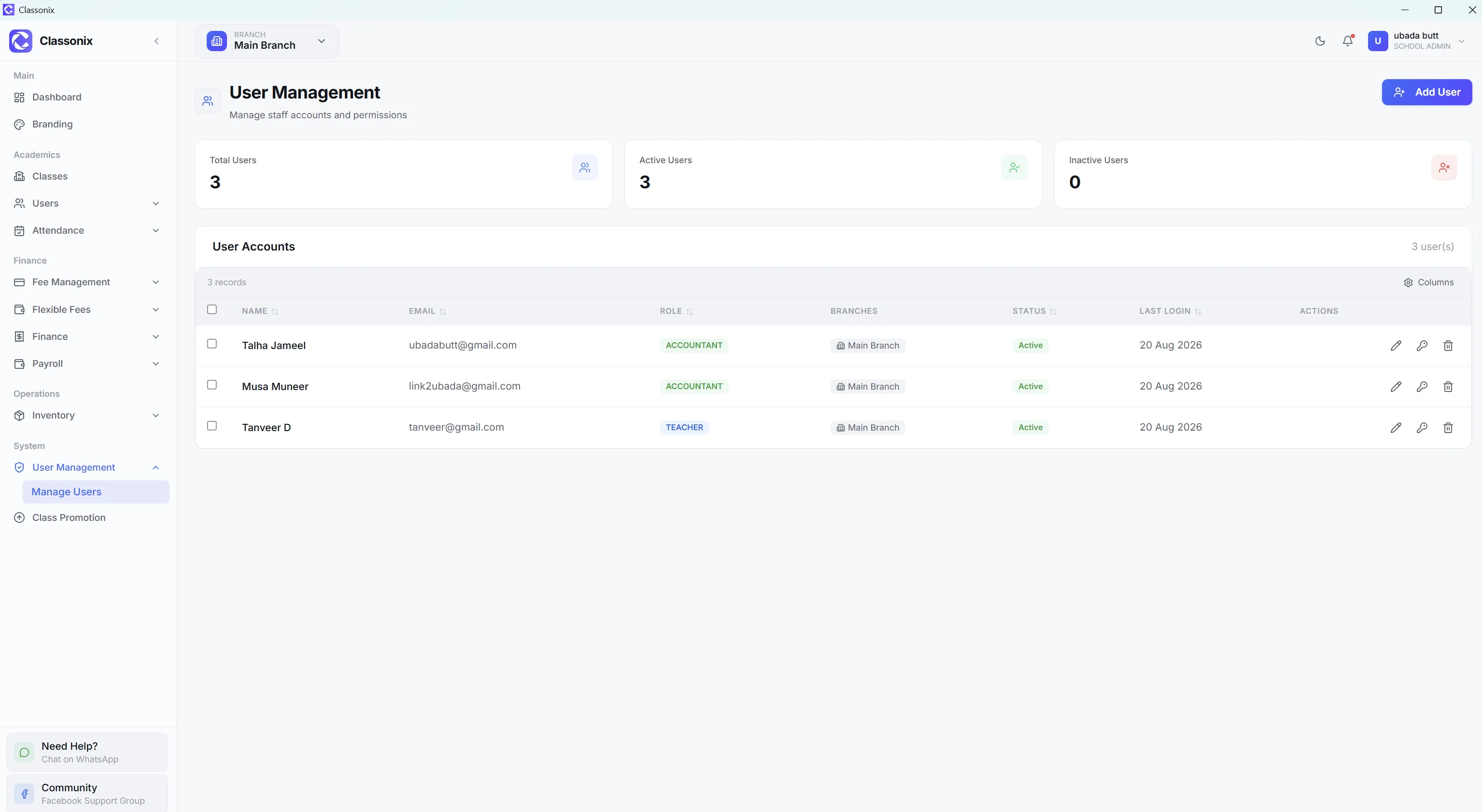
Users, settings, data backup/restore and plan/permission controls.
Multi-Branch
Branch switching, branch-scoped records and per-user branch access.
Finance, Payroll & Inventory — The Back Office Most Systems Skip
Back-office operations are part of the ClassoNix product rather than an afterthought. Finance provides income and expense records, a transaction log and profit-and-loss reporting with CSV export. Payroll includes salary structures, loans, advances and monthly payroll with payslip generation.
Inventory is designed around categories, items, allocations and class inventory. The dashboard can surface low-stock items and quantities, and each item keeps its allocation history so management can review where stock went rather than relying on a storeroom notebook.
These modules matter because school management does not stop when a fee is collected. Salaries have to be processed, expenses recorded and physical items managed. A broader ERP-style system gives management a single operational environment for those jobs.
Payroll is treated as part of the financial picture too — salary processing connects to the expense side of the profit-and-loss view, so the monthly payroll run and the P&L report describe the same money instead of two different versions of it.
One Dashboard for Multi-Branch Groups
ClassoNix’s multi-branch system is designed so the selected branch controls the records shown in the application. Students, teachers, staff, classes, fees, attendance, inventory and payroll are branch-scoped.
Users can be assigned access to particular branches, while school administrators can see all branches. For a school group, this creates an important distinction between branch-level operation and organization-level management.
Staff can work within the branches they are assigned to, while owners and administrators can switch branches and review the relevant data. Explore the details on the multi-branch management page.
When a user switches branches, the application reloads data for the selected campus, so a branch manager working in the morning at one campus cannot accidentally keep editing the previous branch’s records after switching. Combined with per-user branch assignment, this gives school groups the two controls they actually need: which modules a person can open, and which campus’s data they can see inside them.
Pakistan-Specific ERP Workflows
ClassoNix supports workflows that matter in Pakistani school operations, including PKR-based fee amounts, multiple fee types and WhatsApp communication. The fee module supports monthly, admission, annual, paper-fund and sports fees, while WhatsApp reminders expose delivery states and quota visibility.
Schools can also import student records using an Excel template, which is useful when moving existing records into the system. The web application runs in modern browsers, so staff can sign in from any school computer or tablet without installing software.
These are practical workflow considerations for schools comparing ERP software in Pakistan.
School records also carry fields that match local administration — CNIC on staff and teacher records, guardian contact details for WhatsApp communication, and salary and employment fields that match how school offices actually maintain files.
Who Is ClassoNix For?
ClassoNix can suit schools that want their student-management workflows and back-office operations organized within the same product. It can also support multi-branch organizations where branch-level access and data separation are important. Because records are entered once and shared across modules, the platform suits schools that are tired of reconciling a student register, a fee book, a payroll sheet and an expense notebook that never quite agree with each other.
Plan availability matters. The plan table lists finance and payroll from GROWTH, inventory and advanced permissions from PROFESSIONAL, and examinations, timetable and announcements under ELITE. Schools should evaluate the plan and entitlement model alongside the feature list — see current pricing.
The free plan lets a school evaluate the core workflow with real records before committing — a trial run with actual students, fees and staff answers the ERP question better than any feature matrix — and when the trial answers are favorable, the plan table maps directly onto which modules stay switched on; growing schools move up tiers as their student count, user count and module needs grow.
Related Features
See how the rest of the ClassoNix platform connects with this workflow.
Fee Collection
Generate fees, record payments and track statuses.
WhatsApp Fee Reminders
Trackable reminders with delivery status.
Attendance Management
Student, teacher and staff attendance.
Payroll Management
Salary structures, loans, advances and payroll.
Student Information
Searchable profiles and complete student history.
Report Cards
Academic history, exam summary and marks.
Admission Management
From student intake to structured records.
Finance & Accounting
Income, expenses, P&L and transactions.
Multi-Branch
Branch-scoped records and switching.
Inventory
Categories, items, allocations and stock.
Timetable
Academic scheduling on the ELITE plan.
Staff Management
Non-teaching records, attendance and payroll.
Questions, Answered
What a school ERP covers, and where ClassoNix fits.
School ERP software is a system that connects multiple school departments and operational workflows in one platform. It can include student management, fees, attendance, staff, finance, payroll, inventory and other modules. ClassoNix provides a broad set of school-management and back-office capabilities, delivered through a browser-based web application for school staff with a separate Super Admin panel for the ClassoNix team.
A school management system commonly focuses on core school administration, while an ERP usually emphasizes a broader operational scope that includes back-office areas such as finance, payroll and inventory. ClassoNix covers both core school workflows and these broader operational modules.
The platform includes students, teachers, staff, classes, attendance, attendance device integration, fee management, flexible fees, WhatsApp reminders, finance, payroll, inventory, user management, settings, data backup/restore and multi-branch operations. Additional academic modules — examinations, timetable and announcements — sit under the ELITE entitlement in the plan structure.
Yes. ClassoNix is a multi-tenant SaaS product that runs entirely in the browser — your school signs in at app.classonix.com and everything runs on the ClassoNix cloud, including authentication, licensing, automated fee generation and other workflows.
Yes. ClassoNix includes a multi-branch system. Branches can be switched in the application, records are branch-scoped, and users can be assigned access to specific branches. School administrators can access all branches according to their permissions, so an owner-level user can review any campus while branch staff stay inside the campuses assigned to them. Data stays separated at record level too — students, fees, attendance, inventory and payroll are all scoped to their branch.
One Platform. Every Department.
Bring students, fees, attendance, payroll, finance, inventory and branches into the same system.
Free forever plan · No credit card required