
School Staff Management System
Records for every teacher and non-teaching employee — employment details, attendance, salary and payroll history in one place.
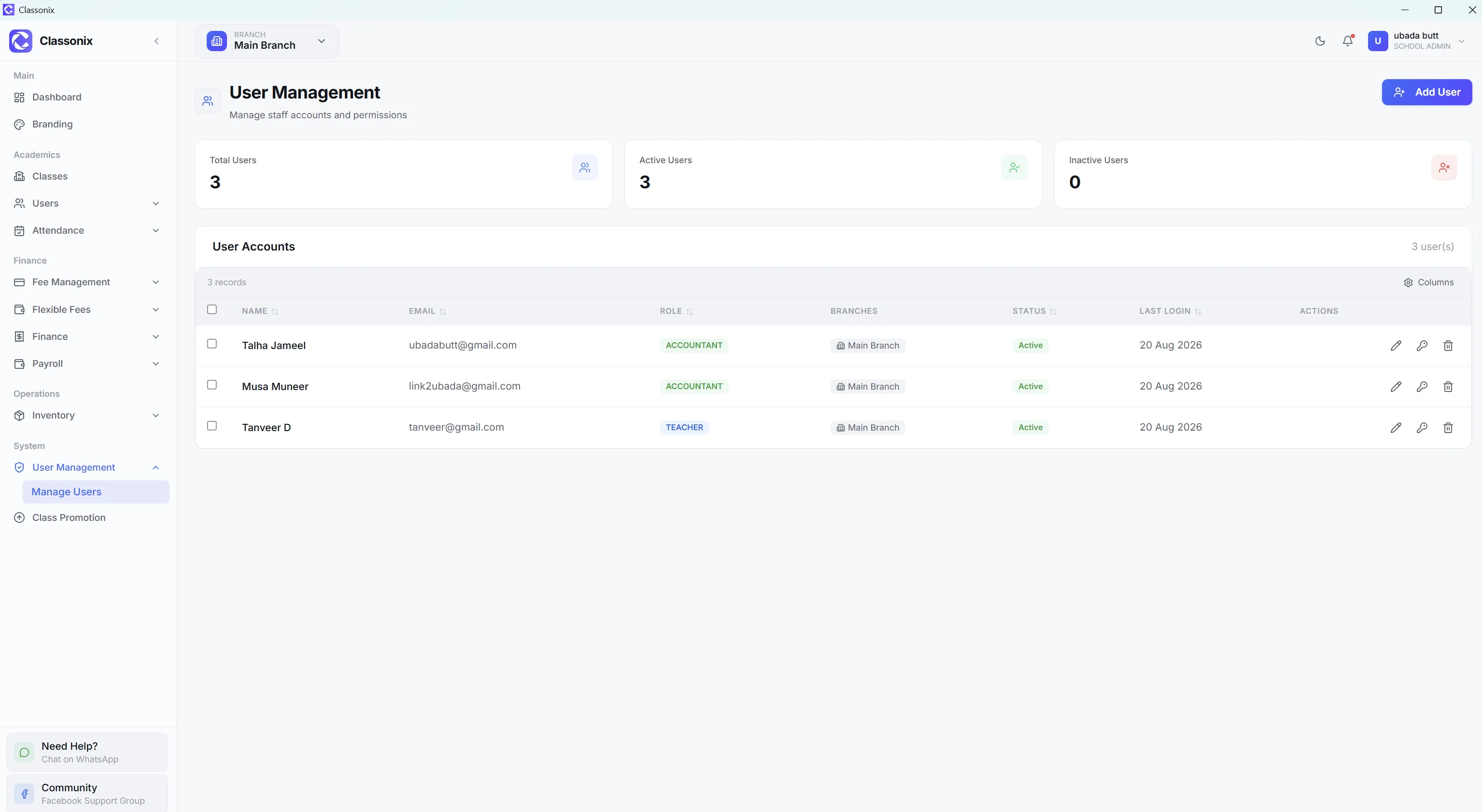
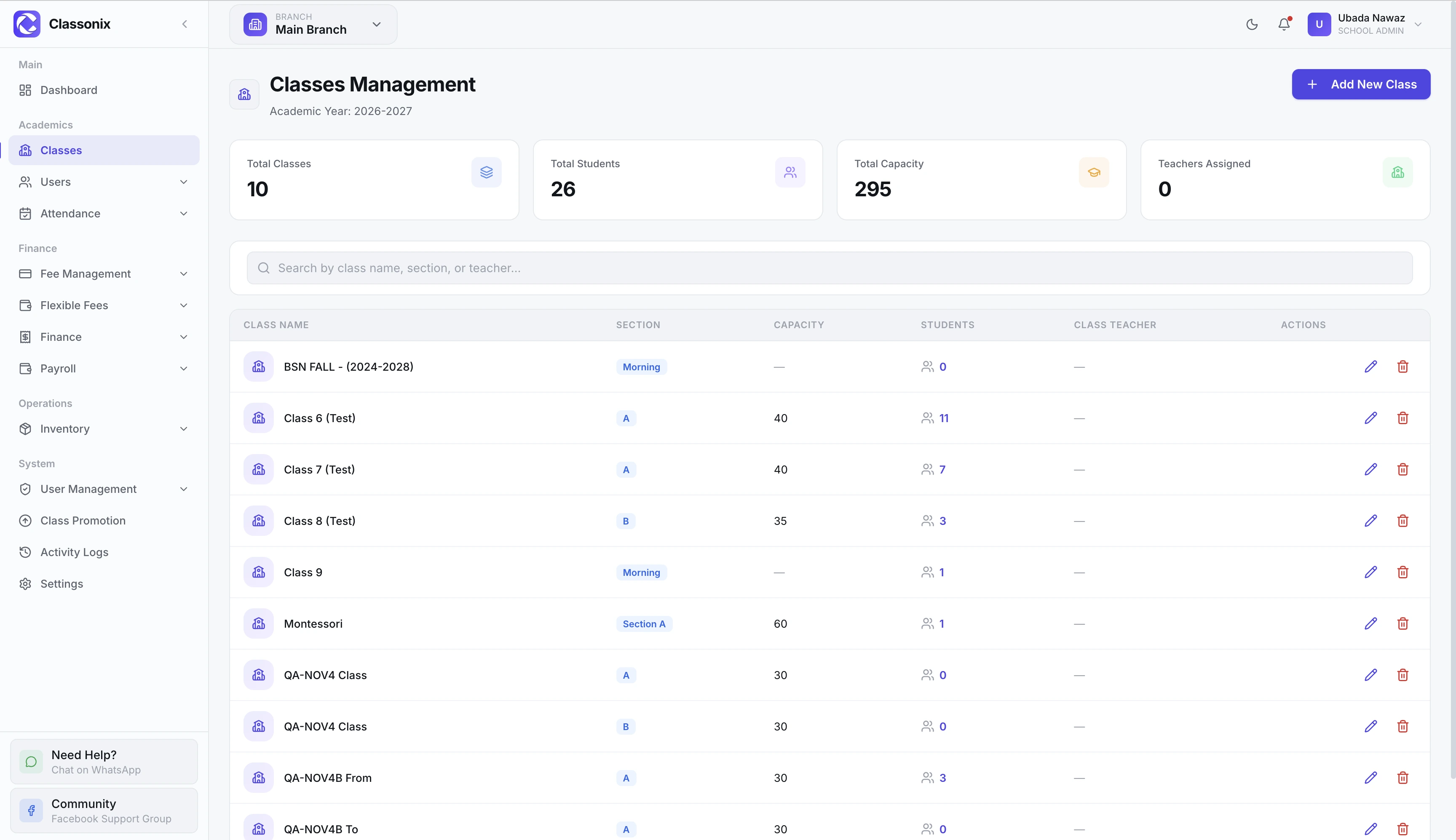
Schools employ more people than teachers alone. Accountants, librarians, drivers, office staff and other non-teaching employees all need structured records, attendance information and, where applicable, payroll history. Keeping those records in separate files makes it harder to understand the full staff picture.
ClassoNix provides a dedicated Staff module for non-teaching employees and a separate Teacher module for teaching staff. Staff records include employment and contact information, salary, emergency contact and active/inactive status. The detail view includes attendance history and payroll history. Teacher records include additional employment, academic and financial information.
Splitting the two groups mirrors how schools actually work: a teacher’s profile carries qualifications, experience and certificates, while a driver’s record needs designation, CNIC and emergency contact — and peons, guards and office staff get the same structured treatment as senior hires — shared fields where they overlap, dedicated fields where they do not.
One Record for Every Staff Member
The Staff module is specifically intended for non-teaching employees such as accountants, librarians, drivers and peons. It provides a searchable, paginated list with statistics and supports adding, editing and deleting staff records.
Staff fields include employee ID, name, email, phone, date of birth, gender, CNIC, designation, department, joining date, employment type, salary, qualification, experience, address, emergency contact, photo and active/inactive status.
Teacher and Staff Management Together
Teaching and non-teaching employees have different operational needs, so ClassoNix provides separate Teacher and Staff areas. Teacher records can include qualification, experience, department, designation, salary, bank account, emergency contact and CV files, along with educational certificates.
The staff detail view provides personal, employment, address and contact information plus attendance and payroll history — a consistent record structure while keeping teacher-specific information where it belongs.
Searchable lists with statistics mean the office can answer headcount questions — how many active staff, in which departments — without counting rows in a register.
Attendance and Leave Records
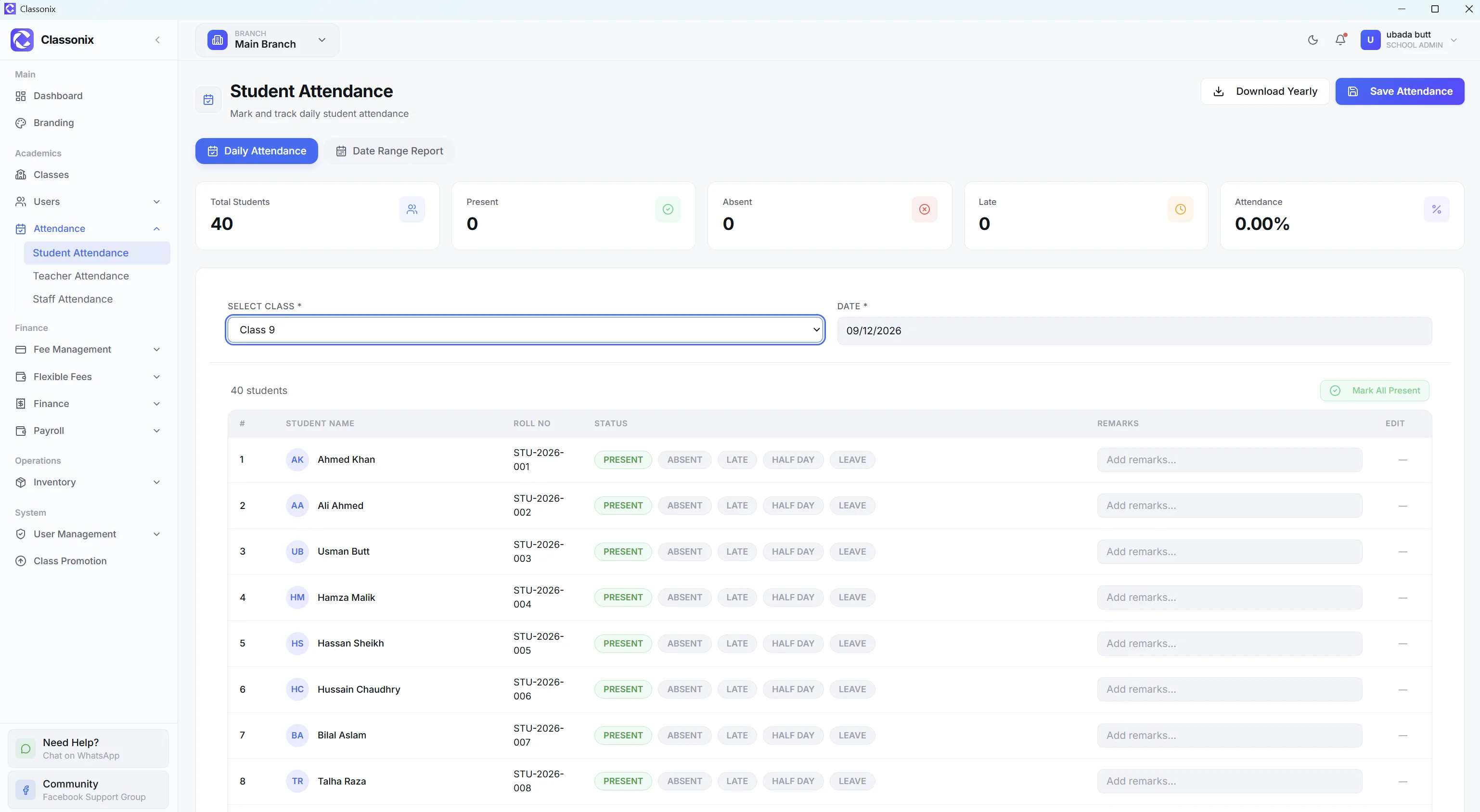
ClassoNix provides a dedicated staff-attendance screen for non-teaching employees. Staff attendance uses the same general workflow as teacher attendance, with PRESENT, ABSENT, LATE and LEAVE statuses and monthly reporting with CSV export.
Leave is recorded as an attendance status on the daily record — a practical way to track leave days inside the attendance history rather than a separate leave-management module.
The same daily workflow covers students, teachers and non-teaching staff, so the person who marks class attendance uses the same pattern for the staff register — one habit, three categories.
Check-in and check-out times on teacher and staff attendance add a punctuality view on top of the basic status — useful for schools that monitor arrival times, not just presence, and for payroll conversations that need more than a tick in a register.
Connect Staff Records to Payroll
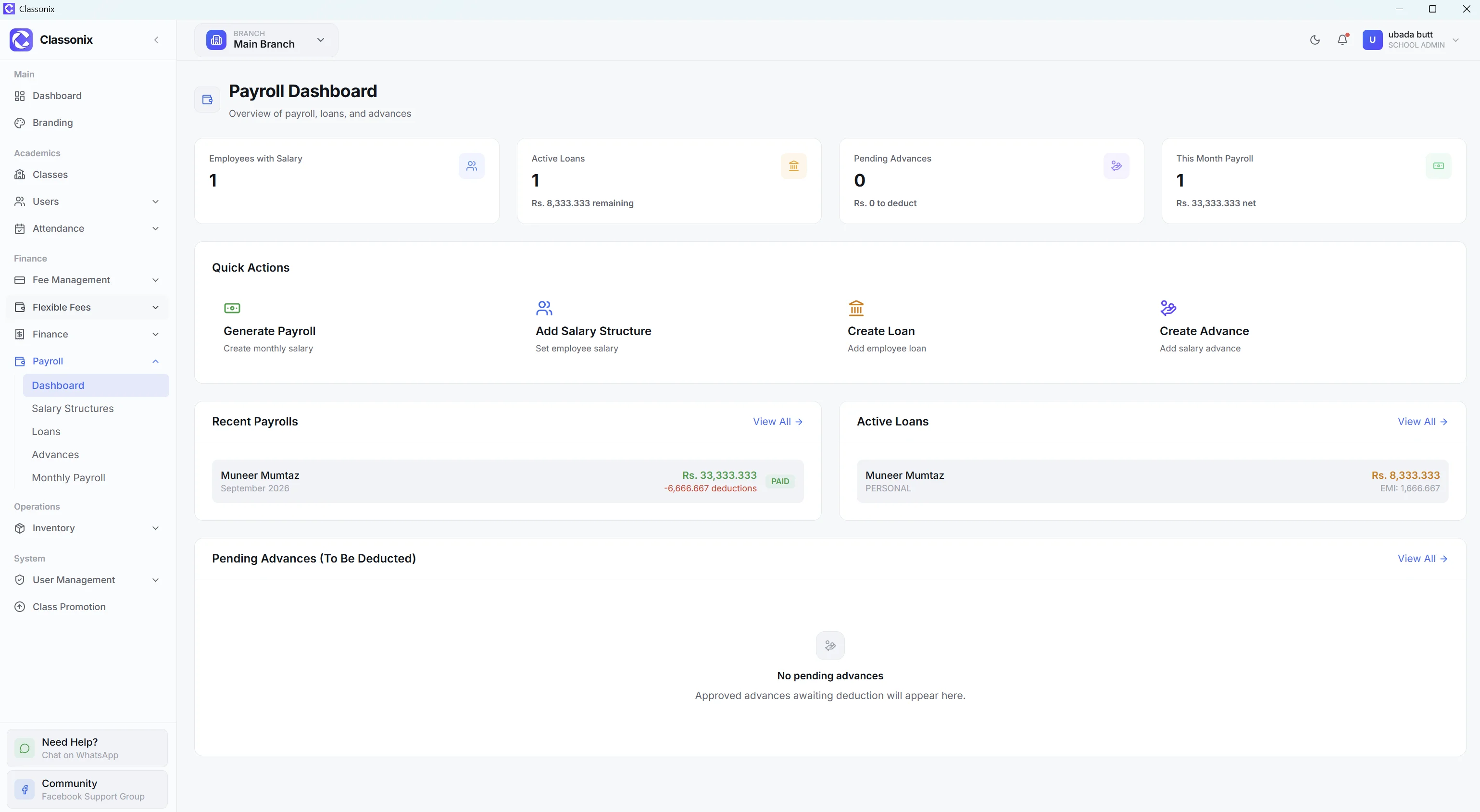
Staff profiles can store salary information, and the staff detail page includes Payroll History. The payroll module then provides salary structures, loans, advances and monthly payroll.
This connection helps management keep employee information and payroll activity in the same platform rather than maintaining a separate staff spreadsheet and payroll workbook.
When a salary changes or an advance is issued, the payroll history reflects it on the employee’s own detail page — the profile and the pay record stop being two documents that can disagree.
Role-Based Access
ClassoNix includes user management with roles, per-feature permissions and branch access. This allows school administrators to decide which users can access which modules and branches.
These are product access-control capabilities — designed to give each staff member or manager the right level of visibility without over-sharing records.
For a school owner this is the difference between ‘the accountant can see fees’ and ‘everyone can see everything’ — access follows responsibility instead of convenience.
Designed for Pakistani School Operations
The staff module supports fields such as CNIC, local contact details, salary and emergency contacts — practical data points for school administration in Pakistan.
The platform also supports branch-scoped staff records, so multi-branch organizations can control where users and employees are visible — a campus sees its own people, while the owner-level view covers the whole group.
Related Features
See how the rest of the ClassoNix platform connects with this workflow.
Questions, Answered
Staff records, attendance and payroll in ClassoNix.
ClassoNix staff records can include employee ID, name, contact details, date of birth, gender, CNIC, designation, department, joining date, employment type, salary, qualification, experience, address, emergency contact, photo and active/inactive status.
Yes. ClassoNix has a dedicated staff-attendance workflow with PRESENT, ABSENT, LATE and LEAVE statuses, plus monthly reporting and CSV export. LEAVE is an attendance status on the daily record rather than a separate leave-management module.
Staff records include employee information and photos. Teacher management additionally supports CV upload/download and educational certificates.
Yes. Staff detail pages include Payroll History, while the payroll module manages salary structures, loans, advances and monthly payroll. This connects employee records with their payroll history, so salary, attendance and employment details all live on the same person’s file.
Every Employee. One Record.
Teachers and non-teaching staff with attendance, salary and payroll history — all connected.
Free forever plan · No credit card required